 peachOSDownloadpeachOSDownload
An Ubuntu-based Linux distro, running on GNOME, inspired by macOS Tahoe.
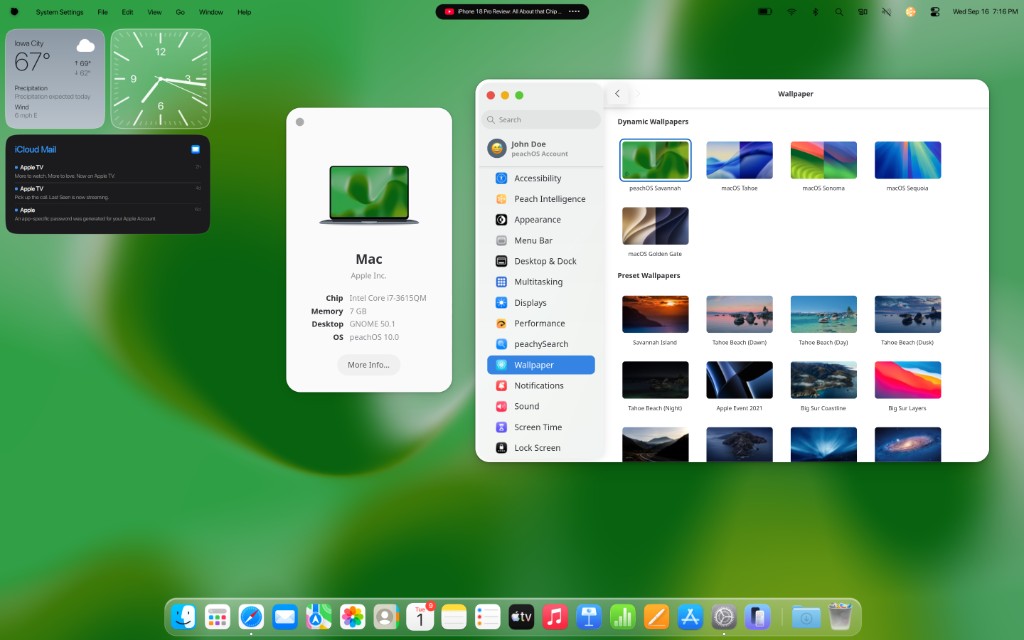
 Settings includes dynamic and preset wallpapers from macOS Tahoe, Sonoma, and Golden Gate, and live wallpapers as well.
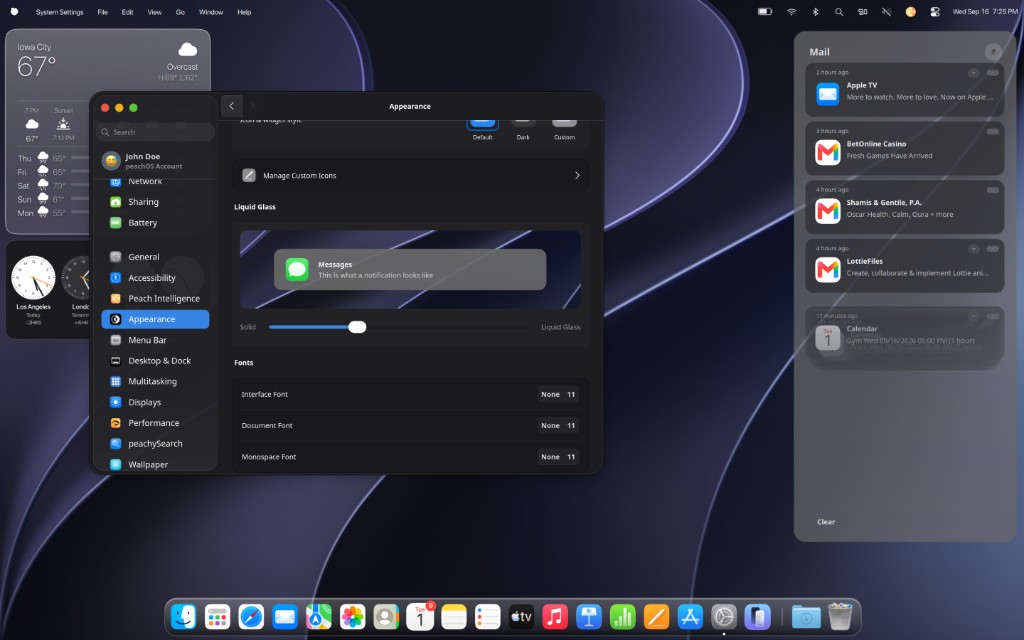
Control liquid glass effects.


This is what a notification looks like
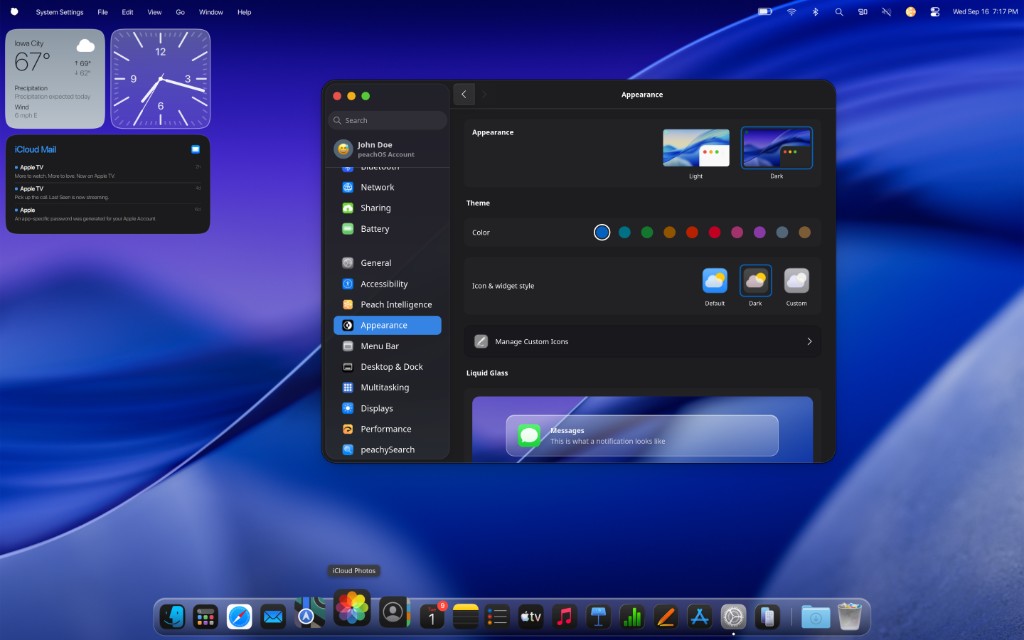
 Customize your experience with light mode, dark mode, and custom icons.
































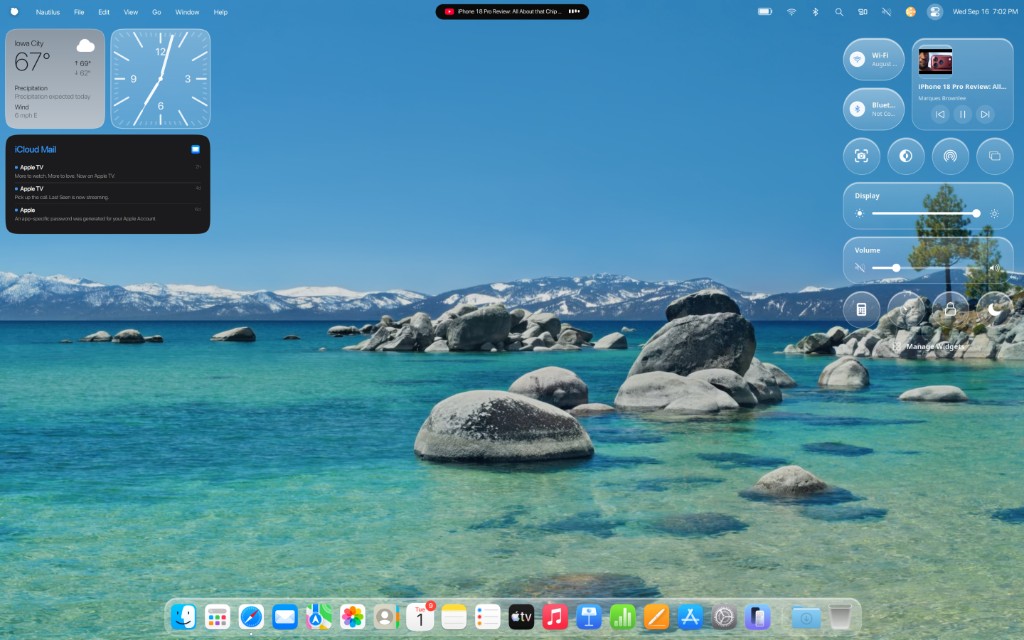
 Control CenterOne panel for the things you touch all day. Open it from the menu bar and change the desktop without digging through Settings.
 MediaWhatever is playing shows up here. Spotify, YouTube in Firefox, VLC. Pause, skip, or jump back without hunting the dock.
 DisplayDrag the brightness. The wallpaper stays visible through the glass while you do it.
 VolumeMute it, bring it back, or ride the level without opening Sound settings.
 Do Not DisturbHolds GNOME notification banners until you turn the moon off again.
 Screen SharingOpens Connect to TV, peachOS's wrap around GNOME Network Displays. Mirror to a Roku or other TV the way AirPlay feels on a Mac.
 LocalSendSend a file to a phone or another computer on the same network. AirDrop energy, LocalSend under the hood.
 AppearanceFlip light and dark from here. Same GNOME appearance setting Settings uses, without opening it.
 ScreenshotOpens GNOME's screenshot tool. Full screen, a window, or a selection.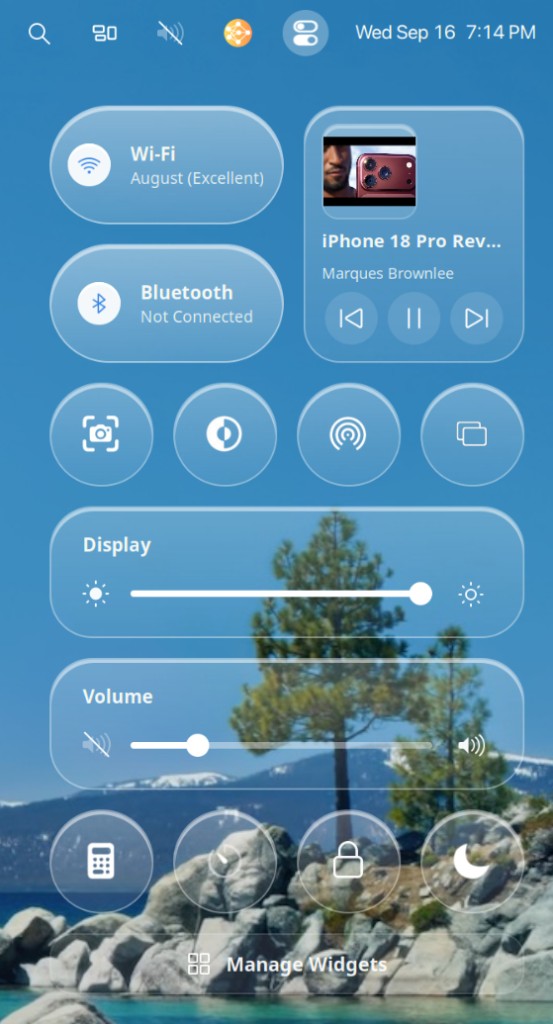
Dynamic IslandA quiet black pill that lives dead-center at the top of your screen, right where your eyes already go. When something happens, it unfurls from a thin sliver and tells you, then slips away again. Peach Intelligence listening, a song mid-play, VPN flipping on, a file landing from LocalSend. Inspired by the Dynamic Island on iPhone, rebuilt for a real Linux desktop so the menu bar can talk without shouting.

 0:00Transcribing…
 iPhone 18 Pro Review — Marques Brownlee
Peach IntelligenceHold a key, say what you meant to type, and let go. Your words show up right where you were already writing. Same push-to-talk feel as Wispr Flow: talk first, paste after, no chat window to babysit.
Want it polished before it lands? Drop in your own Claude, OpenAI, or Gemini key and Peach Intelligence can clean up the wording for you. Your key, your pick. Leave it alone and it still works just fine.
 Claude
 OpenAI
 Gemini
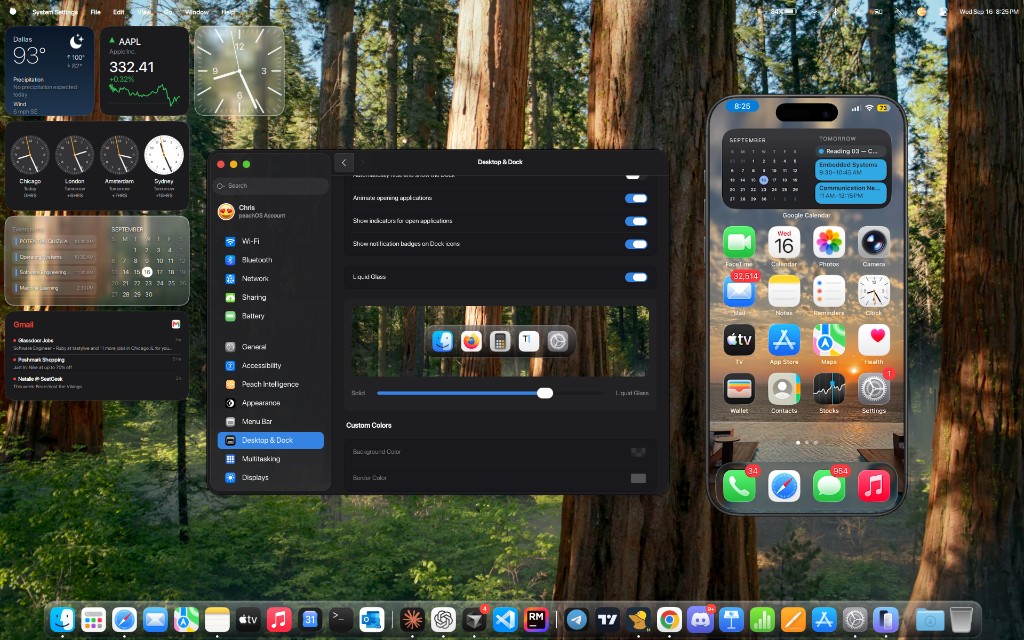
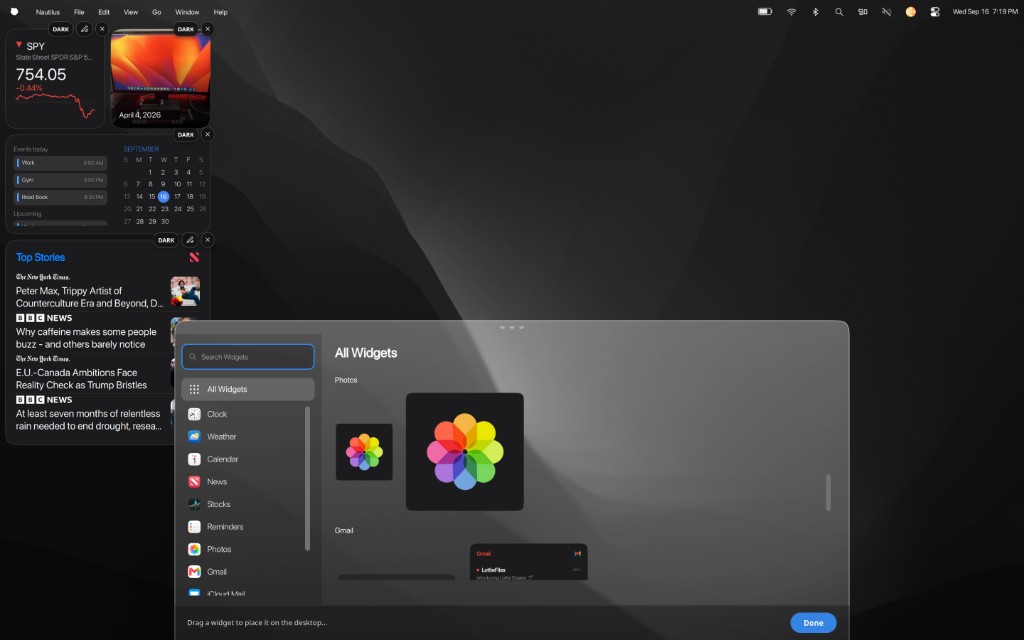
 WidgetsPin the day to your wallpaper. Weather for where you are, a calendar that actually knows your plans, stocks, headlines, photos from your library, and mail from the inboxes you live in. Open Manage Widgets from Control Center, drag what you want, and drop it where it belongs.







 iCloud
 Google
 Microsoft
 peachySearchHit the shortcut and look up apps or files. Just like Spotlight on a Mac, tuned for peachOS.
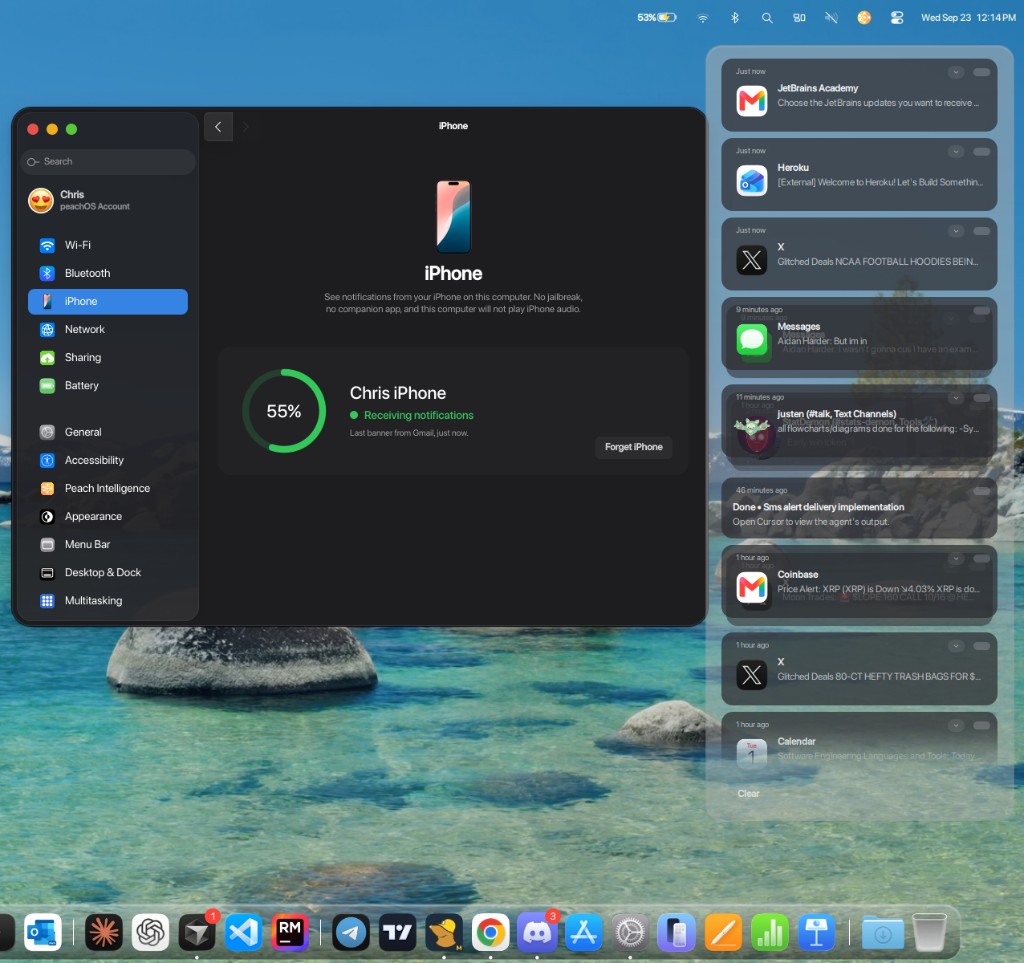
 iPhone pairingSee notifications from your iPhone on this computer. Pair once, then Messages, Mail, and the rest of your phone show up as desktop banners. No jailbreak, no companion app, and this computer will not play iPhone audio.
 iPhone MirroringPut your iPhone on the desktop. Open Mirror, hit Start, then on your phone open Control Center, tap Screen Mirroring, and choose this computer. Your home screen shows up in a phone window you can move and resize, so you can open apps and reply without picking up the phone.